How Voizee Works | Business Communication Platform

How Voizee works

We built Voizee because we kept watching businesses lose leads they never even knew they had. A visitor comes to your site at 9pm, fills out a form, and by the time someone calls back in the morning, they’ve already signed with whoever picked up the phone first.

Voizee fixes that.

Start freeBook a demo

The businesses we work with aren’t short on leads. They’re short on time to respond to all of them. That’s what Voizee is for.

Voizee is a communication platform that handles the parts of your sales process that fall through the cracks — the after-hours inquiries, the leads that never got a follow-up text, the calls your team doesn’t have time to review. It brings together your website, your phone system, your SMS, your email, and your outbound calling into one place, powered by AI.

The businesses we work with aren’t short on leads.
They’re short on time to respond to all of them.
That’s exactly what Voizee is for.

Capture Leads from Every Channel

Most websites are passive. Someone visits, maybe they fill out a contact form, maybe they don’t. Voizee turns your website into an active lead generation tool — one that responds the moment someone shows up, at any hour.

Website Widget
Website Widget
You install a small snippet of code on your site (or use our WordPress plugin), and a widget appears. Visitors can choose how they want to reach you:
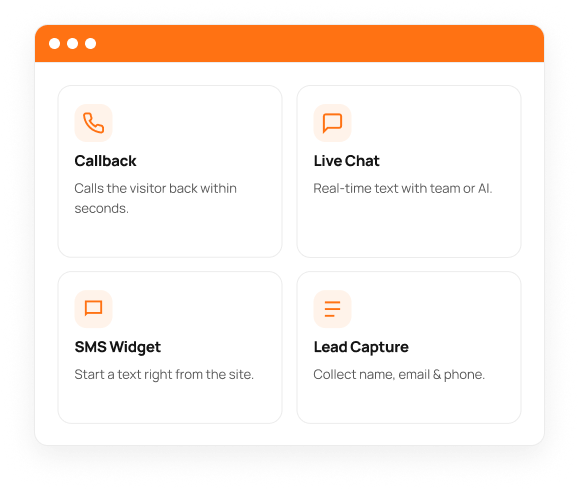
Callback — visitor enters their phone number and Voizee calls them back within seconds, before they move on to a competitor
Live Chat — real-time text conversation with your team or AI chatbot
SMS Widget — visitor starts a text conversation directly from your website
Lead Capture Form — collect name, email, and phone number from any page
AI Chatbot — 24/7 Lead Qualification
The chatbot isn’t just there to say hello. It’s asking the right questions, collecting the details your team needs, and making sure that by the time a real person gets involved, the lead is already warm.
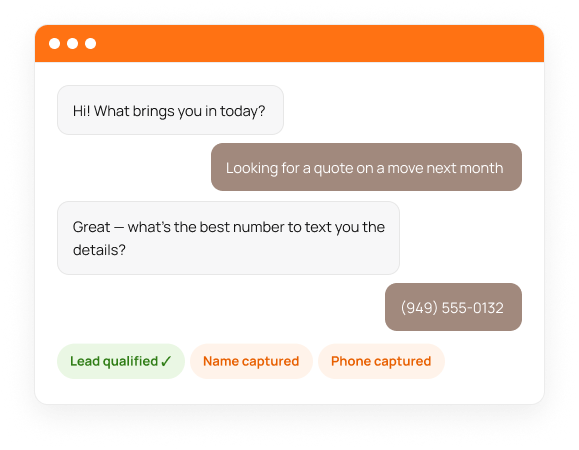
Engages every website visitor instantly — no waiting, no queues
Collects name, email, phone number, and any custom qualification fields
Keeps working while your team sleeps — qualified leads waiting in the morning
Powered by OpenAI or xAI — the conversation feels natural, not robotic

0+

The callback widget alone generates 700+ new leads per month for American Van Lines.

Respond Instantly with AI
There’s research showing that if you don’t respond to a lead within five minutes, your odds of qualifying them drop by 80%. That’s a hard standard to hit when your team is on calls, out to lunch, or off for the weekend. Voizee picks up the slack.

AI Voice Agent
AI Voice Agent
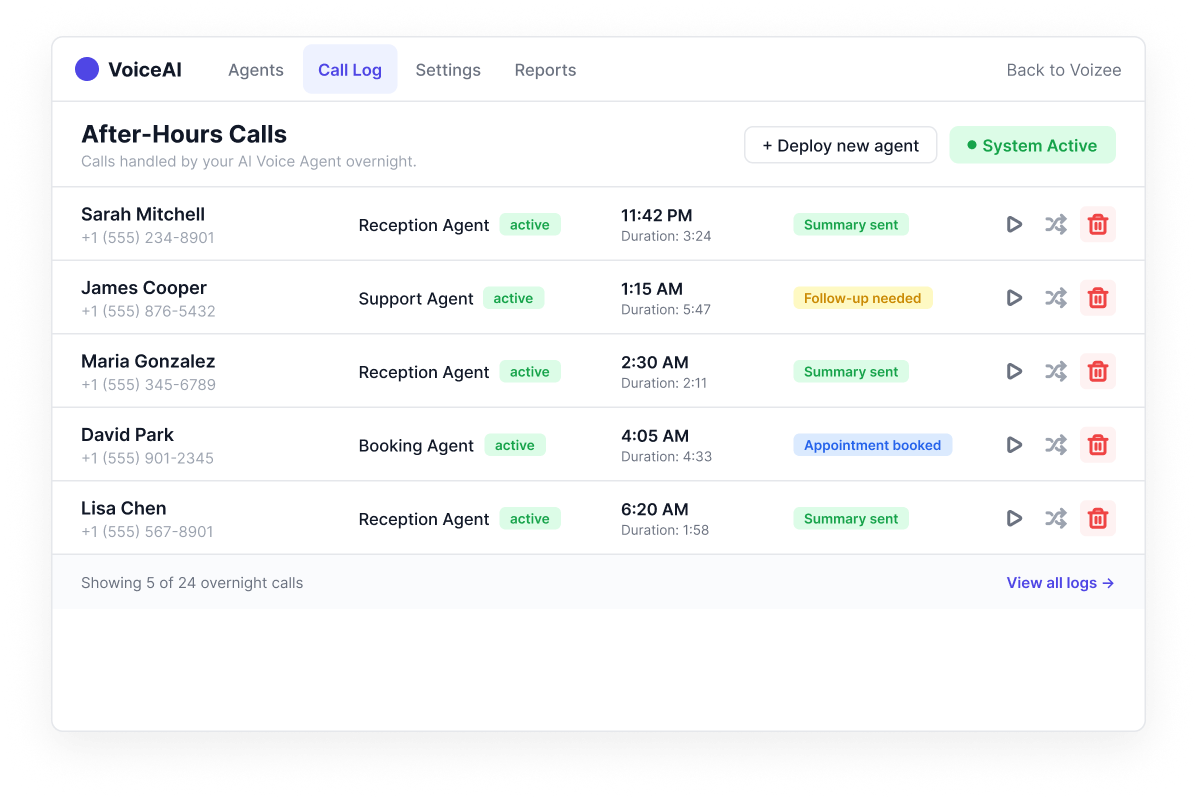
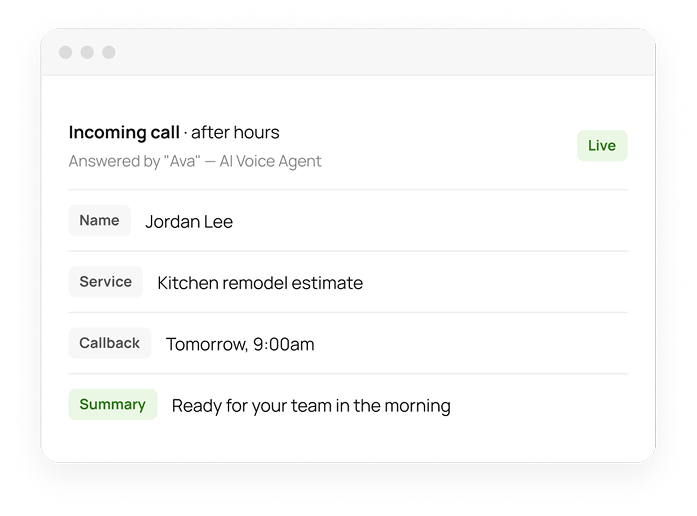
When someone calls your business after hours, they don’t get voicemail. They get your AI Voice Agent — named and configured for your business. It picks up, greets the caller, asks the right questions, and confirms the details before wrapping up. Your team sees the full summary the next morning.
Answers after hours, on weekends, and during busy periods
Collects caller name, contact info, and service details
Confirms all information before closing the call
Transfers to a live agent during business hours
Fully configurable — script, persona, guardrails, data fields
SMS Bot
SMS Bot
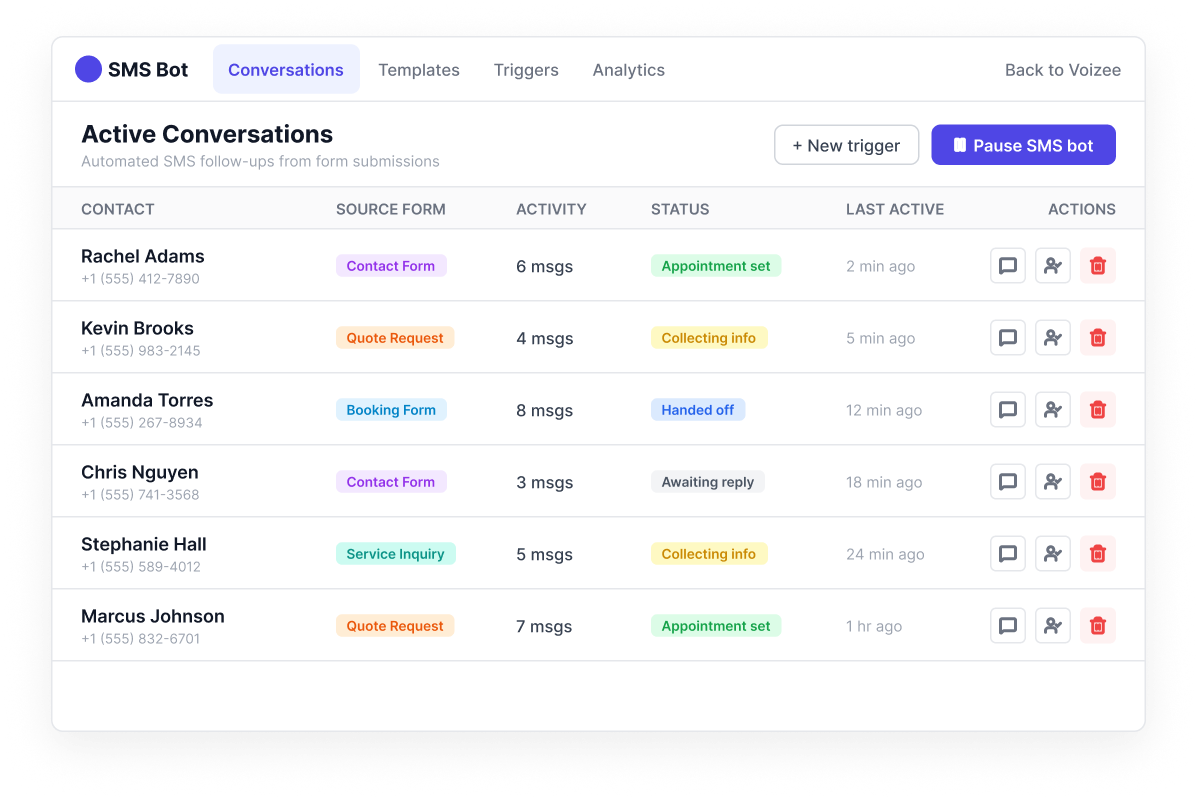
When someone fills out a form, the SMS Bot texts within seconds — collecting appointment preferences, service details, or budget, and keeping the conversation going until a human is ready to step in.
Texts within seconds of a form submission
Most leads need a few touchpoints before they buy — Voizee handles them automatically

Engage and Nurture

Most leads don’t buy on the first contact. They need a few touchpoints, a reminder here, a follow-up there. Voizee handles that automatically so your team can focus on the leads that are ready to close.

2-Way SMS
2-Way SMS
When a customer texts back, it goes into a shared inbox your whole team can see. No messages going to someone’s personal phone. No leads falling through because the person who responded is out sick.
Mass SMS Campaigns
Mass SMS Campaigns
Need to text everyone who inquired last month? Or all the leads tagged as interested in a specific service? You can do that in a few clicks. Mass SMS lets you send to exactly who you want, not your entire list.
Mass Email Campaigns
Same idea for email. Send a campaign to your full list or filter it down by any criteria you want. You’ll see who opened it, who clicked, and who unsubscribed — all without setting up a separate email tool.
Workflows & Drip Campaigns
Set up automated multi-step sequences that trigger based on lead behavior. A new lead comes in on Sunday night — Voizee sends an SMS immediately, follows up on Monday morning, and sends an email by Tuesday if there’s no response.
Multi-channel sequences — combine SMS, email, and internal notifications
Trigger-based — start sequences based on form submission, tag, keyword reply
Fully customizable — set delays, conditions, and branching logic

0+

The AI chatbot qualifies 400+ leads per month for American Van Lines — automatically.

Your Phone System

Set up how calls come in, route them to the right person, and make calls directly from Voizee – no desk phone needed.

Softphone
Softphone
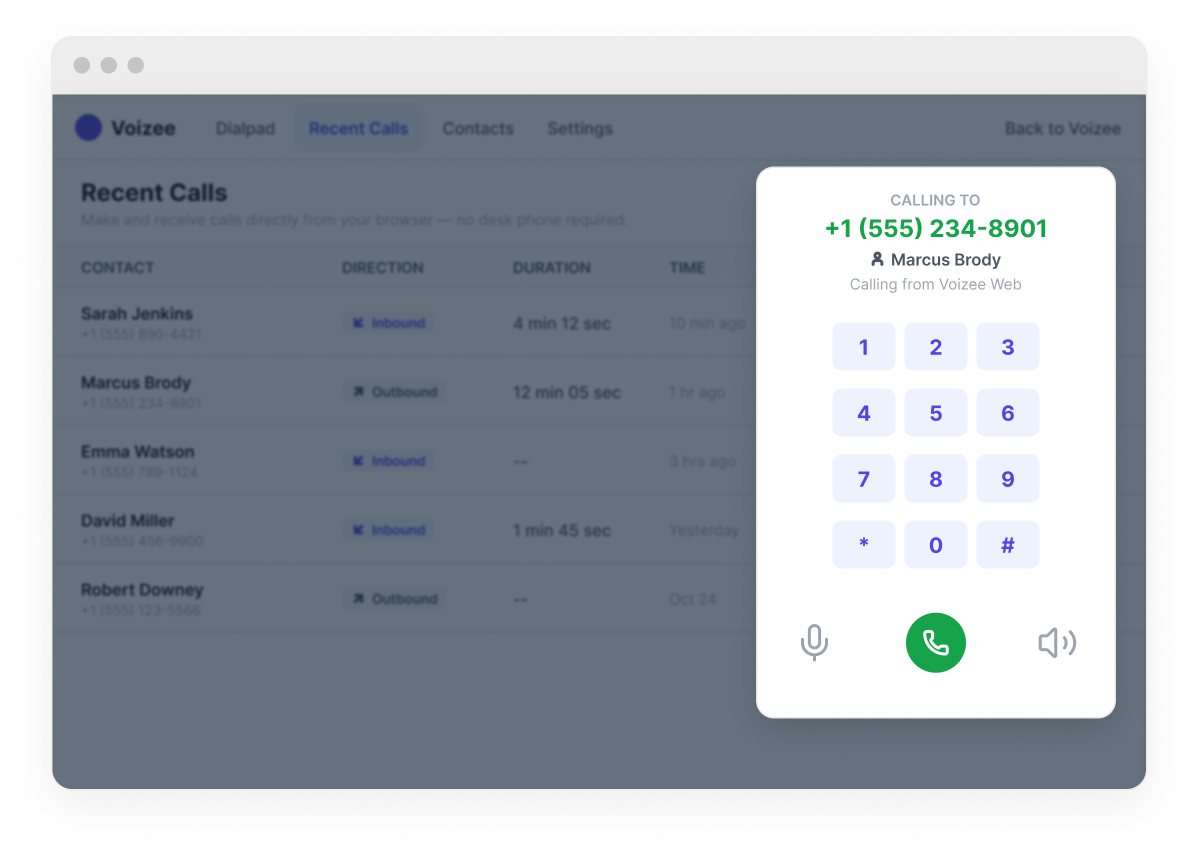
Your team can make and receive calls directly from the Voizee interface – no desk phone required. The built-in softphone works from any browser or the Voizee mobile app, so your team stays reachable whether they’re at a desk or on the go.
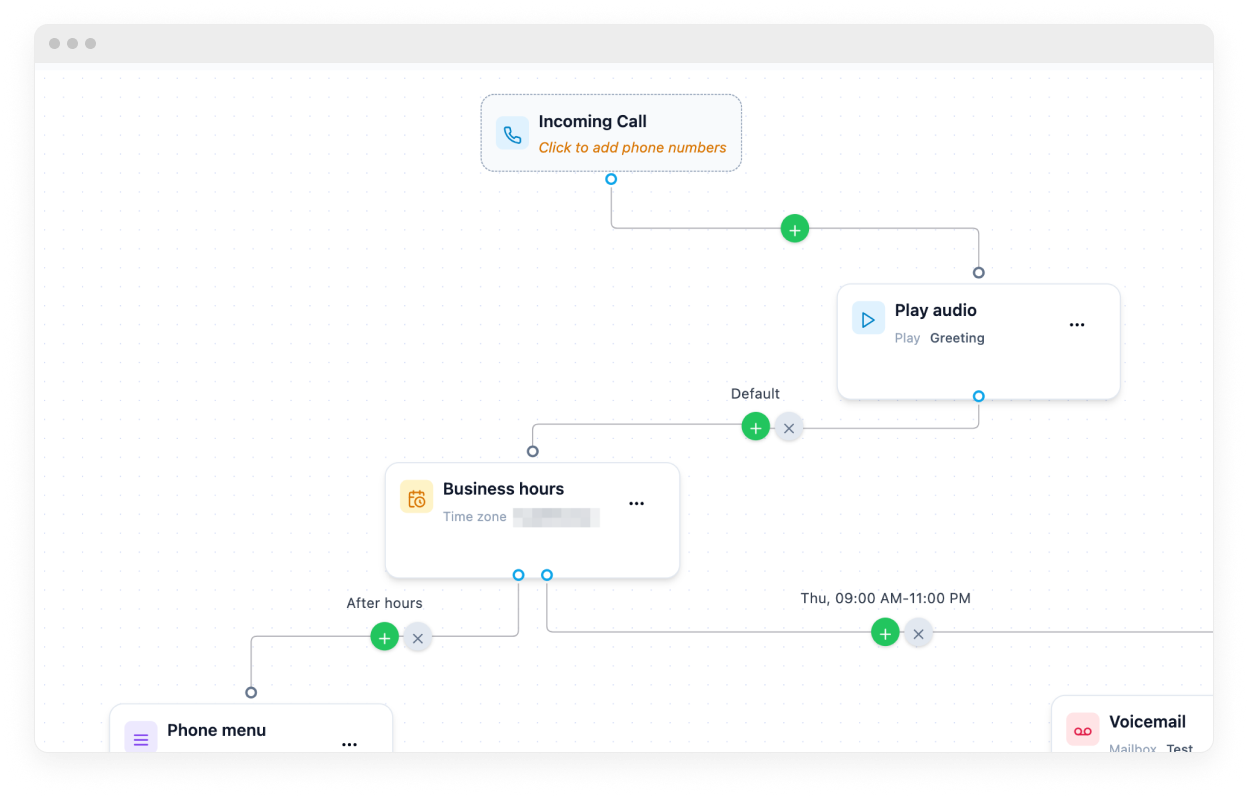
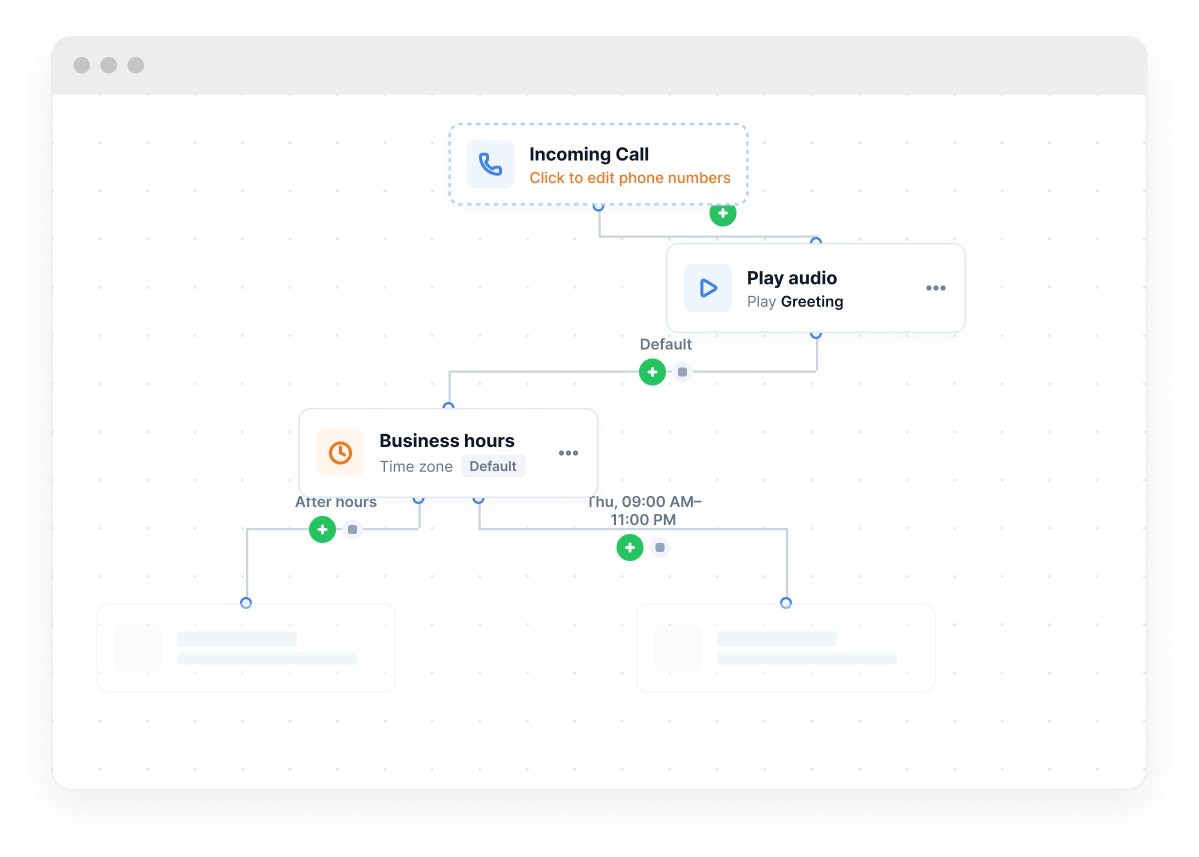
Call Flow Editor
Call Flow Editor
The Call Flow Editor is a visual drag-and-drop builder that controls exactly what happens when someone calls your number. Build routing logic with greetings, phone menus, business hours, forwarding, voicemail, and AI assistant steps – all without touching any code.

Dial and Close with Power Dialer

Your reps shouldn’t be spending half their day dialing numbers, waiting for voicemail, and typing notes. The Power Dialer takes that off their plate so they can spend more time actually talking to people.

Power Dialer
Power Dialer
Load your leads into a campaign and hit start. The dialer works through the list automatically. When one call ends, the next one begins. Your rep’s job is to talk — everything else is handled.
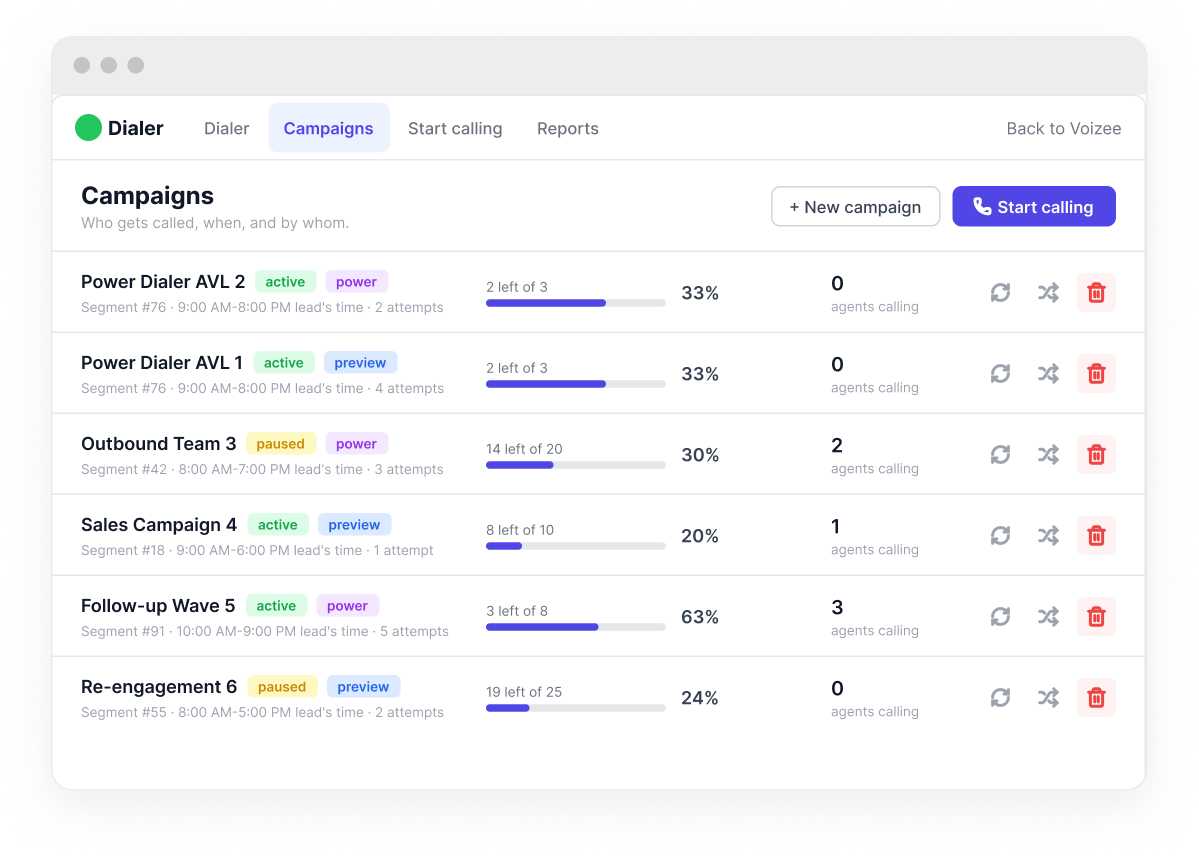
Power mode — automatic dialing from the campaign queue
Preview mode — agent reviews the lead before dialing
Real-time performance — dials, answers, talk time, win rate
Call outcomes and disposition logging
Shift management — calling hours and agent schedules
Call Campaign Management
Set up a campaign for any group of contacts — new leads from last week, people who opened your last email, or a specific tag. Assign it to one agent or split it across your team. Track progress from the dashboard without having to ask anyone how it’s going.

Analyze Every Conversation

Voizee doesn’t just help you communicate — it helps you understand what’s happening in every conversation, so you can improve your team, your scripts, and your results.

Transcribe & Summarize
Every call gets recorded and transcribed automatically. AI reads it and writes a plain-English summary of what happened and what the next step should be. Review ten calls in the time it used to take to listen to three.
Full transcript with speaker identification
Keyword search across all transcripts
Auto-Tagging
Auto-Tagging
Tell Voizee what to look for and it tags every call where those come up. One customer searches their transcripts every morning before the team meeting.
Tagging based on conversation content
Filter by tag to surface trends instantly
Custom tags in your business terminology
Lead Scoring & Scripts
Not all leads are the same. Voizee scores each one on how they engaged — how fast they replied, how they used the chatbot. Your team knows who to call first. New campaign? Give Voizee context and it generates a script your team can actually use.
AI Call Scripts Generator
Need a script for a new campaign or a product launch? Give Voizee some context about what you’re selling and who you’re calling, and it generates a script your team can actually use — not a generic template, something specific to your business.

0+

calls per month transcribed and analyzed by American Van Lines using Voizee

Light CRM
Every lead that comes in through any channel – widget, call, SMS, chat, or email – lands in Voizee’s built-in lead management system.

Custom fields - capture the details that matter for your business
Tags & segments - organize leads by any criteria and filter your list in seconds
Import & export - bring in existing contacts from a CSV and export your data any time
Duplicate detection & merge - identify duplicate leads and merge them into a single clean record
Full communication history - every call, text, chat, and email logged on the lead card automatically

INTEGRATIONS

Connect Your Tools

We’ve tried to make sure Voizee fits into what you’re already using rather than forcing you to replace everything. Most integrations take a few minutes to set up. The ones that need more configuration have step-by-step guides in our knowledge base at voizee.com/docs.

Carriers & AI
CRM & Nonprofits
Email & Design
Phone Systems
Analytics & Automation
Website

MOBILE APP

Stay Connected from Anywhere

Your team isn’t always at a desk. The Voizee mobile app means they don’t have to be.

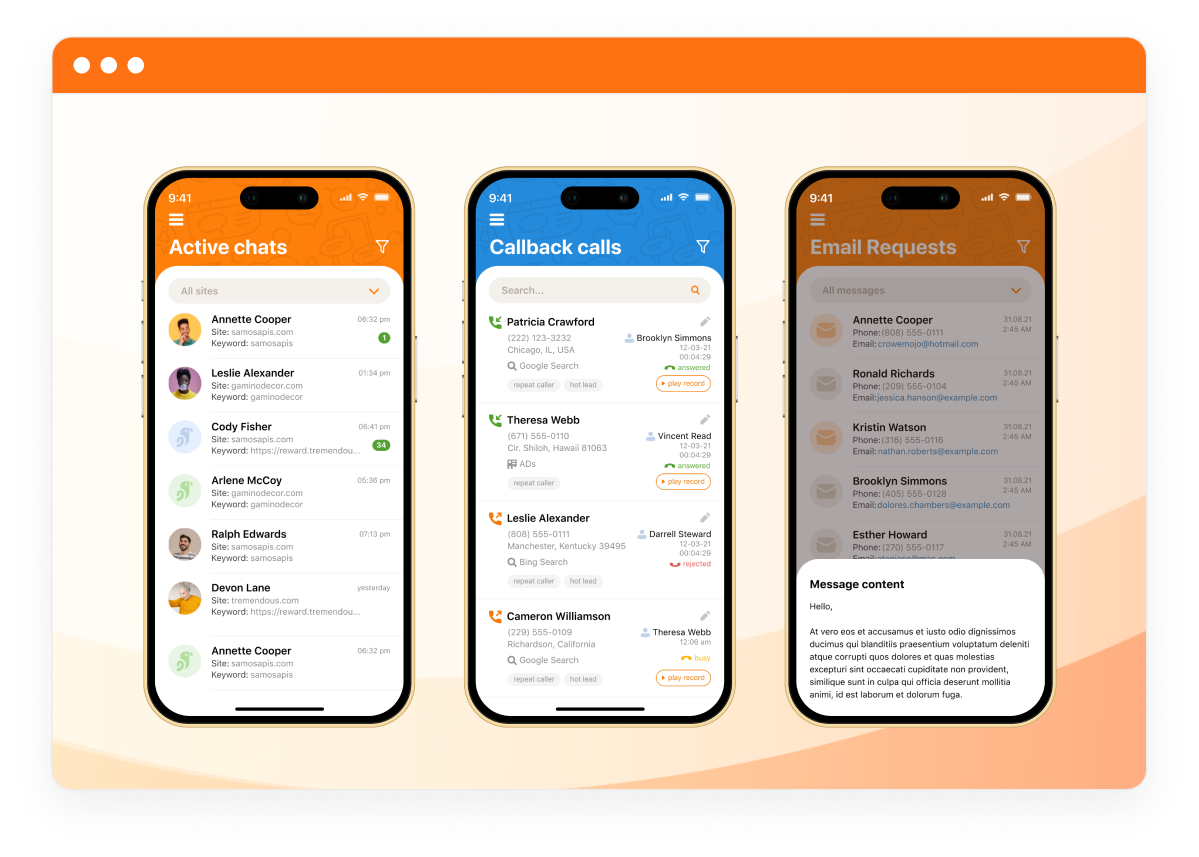
Reply to SMS and live chat on the go
Make and receive calls from the app
Monitor campaigns, leads, and team activity in real time
Instant push notifications for new leads and messages
Available on the App Store and Google Play

Who we serve

Voizee doesn’t just help you communicate — it helps you understand what’s happening in every conversation, so you can improve your team, your scripts, and your results.

Moving
Moving
Real Estate
Real Estate
Nonprofits
Nonprofits
Insurance
Insurance
Automotive
Automotive
Healthcare
Healthcare
Ecommerce
Ecommerce
Law Firms
Law Firms
Home Services
Home Services

Getting Started

We’ve set up Voizee for businesses that have never used a platform like this before. It’s straightforward. Most customers are fully live within 48 hours of signing up, and our team is available to help every step of the way.

Sign up at voizee.com and select a plan
Select your phone number and configure your Call Flow
Complete A2P registration if you plan to send SMS to US numbers
Connect your CRM or lead source - using API, Zapier, or Pabbly
Set up your SMS Campaign, Email Campaign, or Automated Workflow
Set up AI Agents - connect your AI provider (ChatGPT, Claude, or xAI) and configure your chatbot, voice agent, and SMS bot
Install the website widget if you are planning to capture website leads using callbacks, live chat, and chatbots
Download the Voizee mobile app - available on the App Store and Google Play
For detailed setup guides, integration instructions, and step-by-step tutorials, visit our Knowledge Base — every feature is documented with screenshots and examples.
Knowledge BaseText us: (949) 536-9213