AI FEATURES
In short: The AI Summary gives you a quick, plain-language recap of a lead’s whole history, right on the lead card, so you’re ready to talk in seconds instead of scrolling through every call and message.
What it is
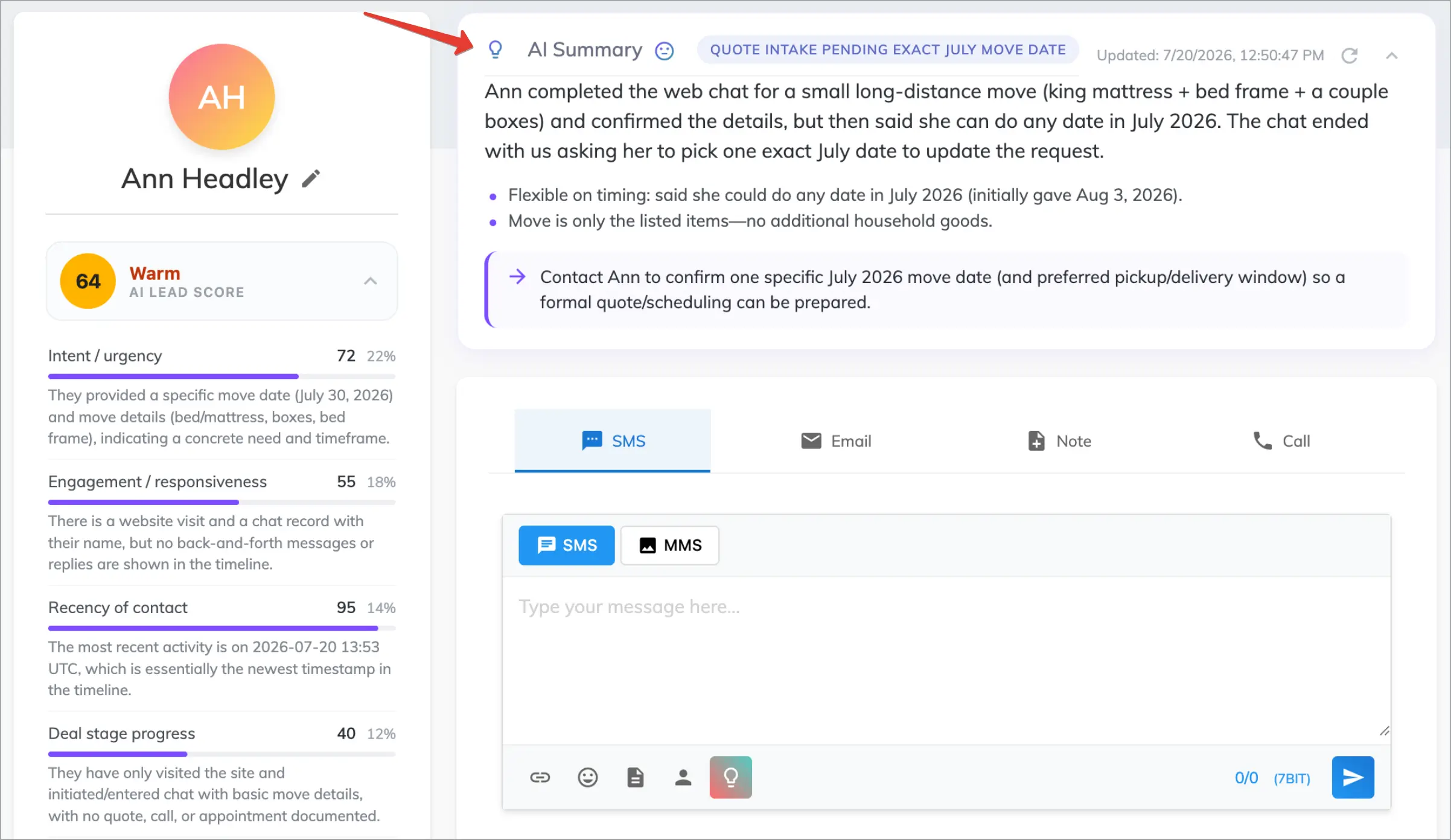
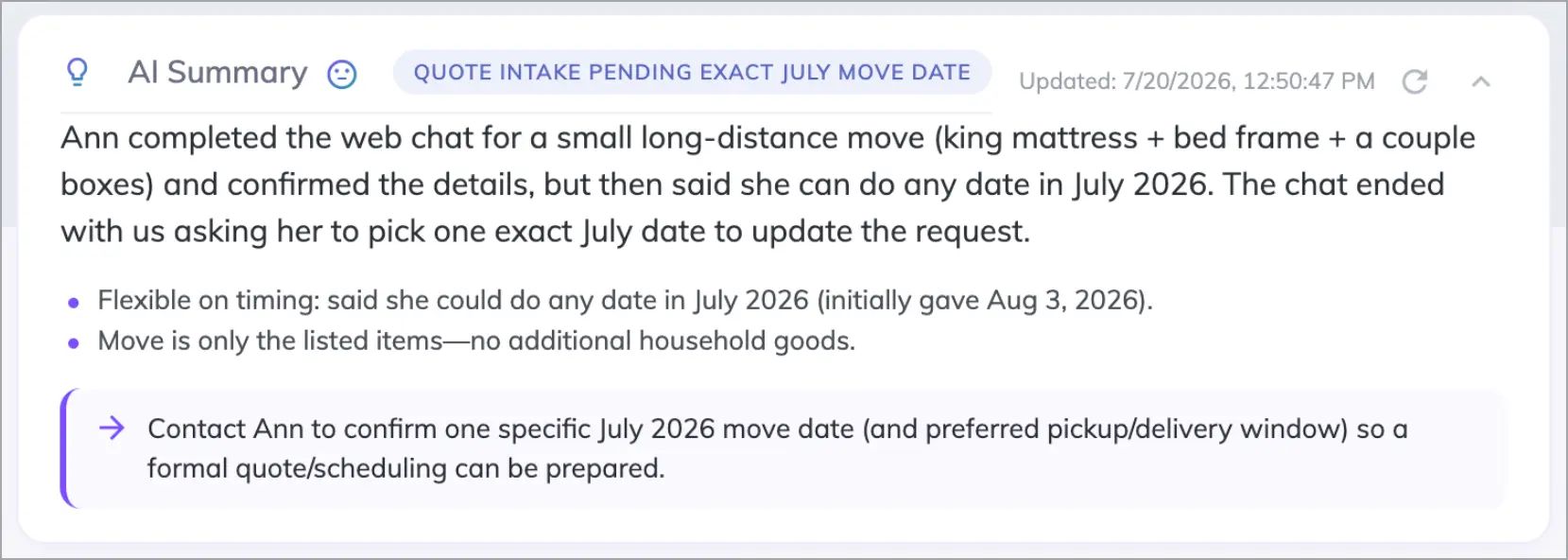
The AI Summary reads everything on a lead — calls, texts, chats, and activity — and writes a short catch-up: who they are, what they want, and where things stand. It’s the “get me up to speed” block at the top of the lead card, and it also shows a one-line status (for example, “initial outreach sent; awaiting response”) and a suggested next step.
Why use it
- Prep in seconds before a call, instead of reading the full timeline.
- Smooth handoffs — anyone on the team can pick up a lead instantly.
- Never miss context buried deep in a long history.
- Always current — it reflects the latest activity on the lead.
Before you start
- Connect an AI provider (ChatGPT) — see AI in Voizee: Overview & Setup.
Where to find it
Open Leads and click any lead to open its lead card — the AI Summary block appears in the lead’s details. It’s generated automatically the first time you open the lead and refreshes as the lead’s history changes. You can also click the Refresh summary button to regenerate it on demand.
How it works
When you open a lead, the AI reviews the lead’s timeline and writes a brief summary. It’s saved so it loads instantly, and it regenerates automatically when the lead’s data changes since you last looked — so it’s fresh without you doing anything. The Refresh summary button forces a new summary immediately.
Tips & best practices
- Read the summary before every call to sound prepared and personal.
- Hit Refresh summary after a big update (a long call, a new message thread) if you want the very latest.
- Pair it with AI Call Scripts to go from “caught up” to “ready to dial” in one step.
FAQ
Where is it?
On the lead card — Leads → open a lead.
Do I have to generate the summary manually?
No — it appears automatically when you open the lead. Refresh is optional.
What if the AI can’t generate it right now?
You’ll see the last saved summary until the AI can produce a new one.
Related articles
Still feeling stuck? Please send us your questions using this form.