In short: The Stripo integration lets you design email templates in Stripo and export them directly to Voizee with one click. Generate an API key in Voizee once, paste it into Stripo, and your templates appear in Voizee ready to use in email campaigns, individual emails, and workflows.
What it is
Stripo is a professional email design platform used to build and manage email templates. This integration connects Stripo to Voizee so you can export finished templates directly from the Stripo editor into your Voizee account — no downloading, uploading, or copying HTML by hand. Exported templates appear under Campaigns → Email Templates and are available across email campaigns, individual emails, and drip workflows.
Why use it
- Design in Stripo, send in Voizee — use Stripo’s full template editor and export to Voizee in one click.
- No manual HTML — templates transfer automatically with formatting intact.
- Ready to use immediately — exported templates are available for campaigns, individual emails, and drip workflows right away.
Before you start
- A Stripo account — see stripo.email.
- A Voizee account with Mass Emails enabled.
Step 1 — Generate an API key in Voizee
- Go to Settings → Organization → Integrations → API & Webhooks.
- Click Create API Key.
- Give it a recognizable name — for example, Stripo Email.
- Copy the generated API key.
Note: Copy the API key immediately — it won’t be shown again after you leave the page.
Step 2 — Export a template from Stripo to Voizee
- Open your email template inside the Stripo editor.
- Click the Export button at the top of the dashboard.
- Select Voizee from the list of integrations.
- Enter your connection or account name.
- Paste your API key into the designated field.
- Click Export to finalize the authentication and sync your template.
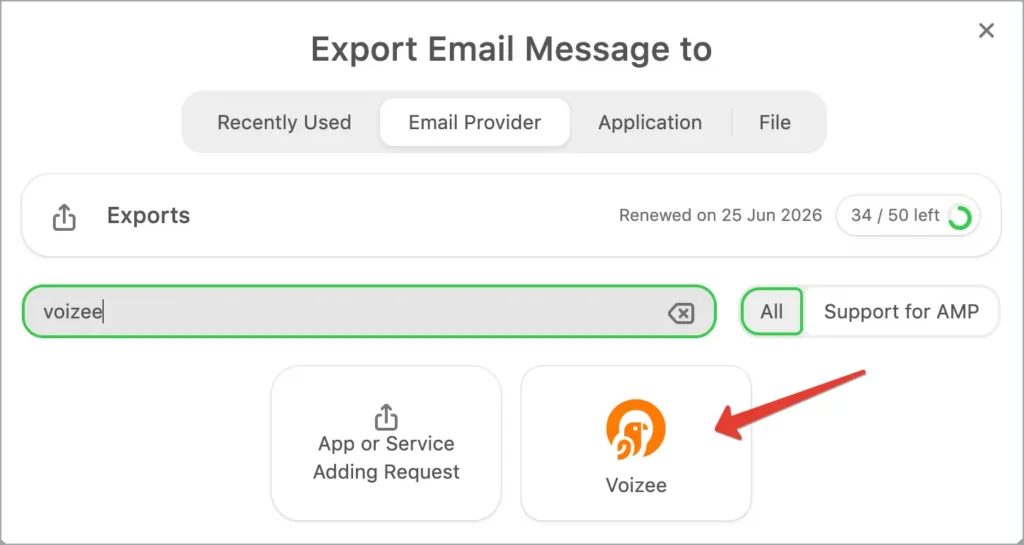
The exported template will appear in Voizee under Campaigns → Email Templates and can be used for Email Campaigns, Individual Emails, and Workflows (Drip Campaigns).
FAQ
Where do exported templates appear in Voizee?
Under Campaigns → Email Templates.
Can I export multiple templates?
Yes — repeat Step 2 for each template you want to export. Each one appears separately in Email Templates.
Do I need to generate a new API key each time?
No — use the same API key for all future exports from Stripo.
Where can I learn more about the Stripo integration?
See the official Stripo integration page: stripo.email/integrations/voizee.
Related articles
- How to Send a Mass Email Campaign
- How to Use Workflows (Drip Campaigns)
- How to Connect Your Voizee Account with AWS
Still feeling stuck? Please send us your questions using this form.